Name: Lisa M.
Position: Receivables Accountant
Department: Financial Accounting / General Ledger
System: SAP S/4HANA with Fiori Launchpad
Lisa is responsible for:
• Monitoring open items
• Clearing customer accounts
• Processing incoming payments and dunning
• Coordinating with the general ledger
A typical workday with Fiori apps
8:00 a.m. – Start at the Fiori Launchpad
Lisa opens her Fiori Launchpad, which is tailored to her role.
She immediately sees her most important tiles.

Advantage:
She no longer has to search for transaction codes—everything is role-based and visually accessible.
08:15 – Overview of Open Receivables
Situation: Management wants to know which customers currently have highly overdue items.
Fiori App: Overdue Receivables
Lisa opens the app and displays the top 10 customers with the highest open amounts.


Problem solved:
Previously, Lisa had to run an SAP report (e.g., FBL5N) and sort it manually.
Now she receives a visual, drill-down capable analysis with just a few clicks.
09:00 – Clearing an Overdue Item
Situation: A customer claims to have already paid an invoice, but the system still shows it as open.
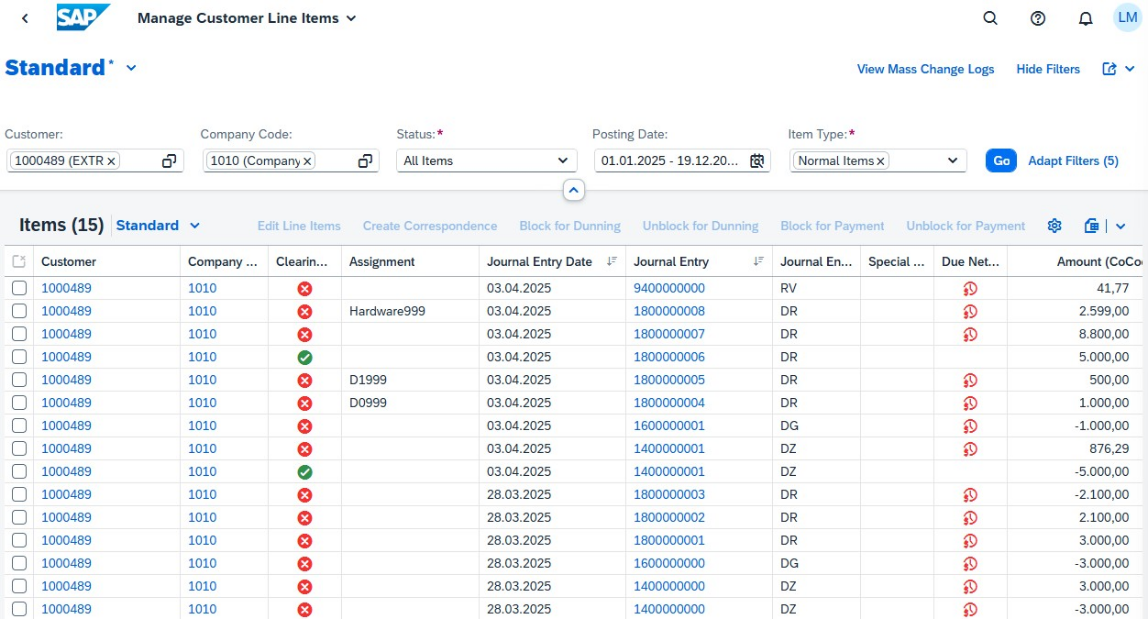
Fiori App: Manage Customer Line Items (F0711)
Lisa opens the app, searches for the customer number, and immediately sees all open, cleared, and overdue items.
With a single click, she can check the document flow, payment date, and notes.
Problem solved:
Instead of opening multiple reports and document displays, Lisa can complete the entire clarification process in one interface.
10:30 – Posting an Incoming Payment
Situation: A customer made a collective payment for several invoices.
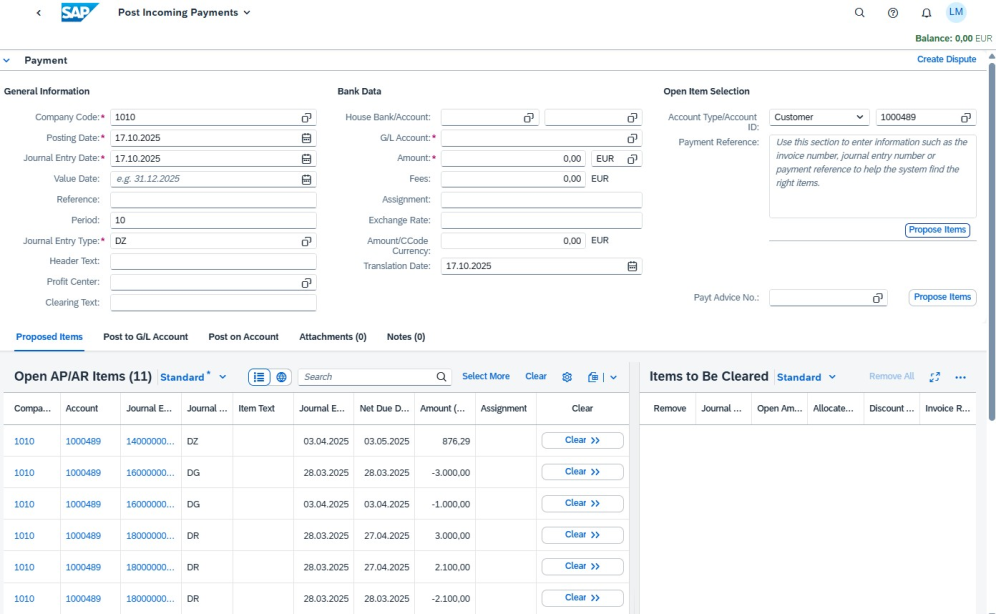
Fiori App: Post Incoming Payments (F1345)
Lisa opens the app, enters the customer and the payment amount.
The system automatically suggests open items for clearing.
After confirmation, the posting is saved in the general ledger.

Problem solved:
The app automates assignments and reduces input errors—eliminating tedious manual matching.
13:30 – Extracting Customer Information
Situation: To follow up on overdue receivables, Lisa needs customer contact information.
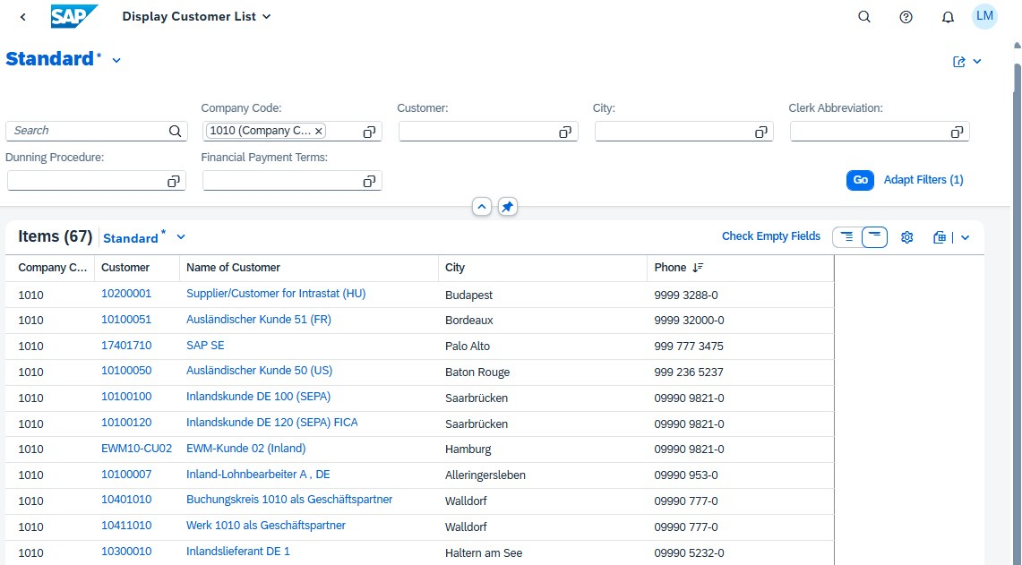
Fiori App: Display Customer Master
Lisa selects the 10 customers with the highest open receivables and creates an overview of their contact details. She then begins reaching out to the customers.
Problem solved:
Lisa can easily and quickly compile a list of the information she needs and export it to Excel if necessary. There's no need to open each customer master record and manually gather contact details.

SAP Fiori not only speeds up daily work in accounts receivable accounting, but also makes it much clearer—leaving more time for the really important tasks.
15:00 – Reporting and Reconciliation
Situation:
In the afternoon, Lisa prepares an overview of open receivables for month-end closing.
Fiori App: Accounts Receivable Overview (F3242)
The app displays a dashboard with key figures:
• Open items by due date
• Average payment delay
• Top 10 customers with the highest risk


Problem solved:
Lisa saves time when creating reports and can work directly with management KPIs.
Summary
Lisa’s workday clearly demonstrates how SAP Fiori apps simplify daily tasks in accounts receivable accounting.
Fiori apps make processes leaner, more transparent, and more efficient—from clearing open items to posting payments and preparing reports. This leaves more time for what matters: analyzing, reconciling, and optimizing financial processes.